AWS Graviton2 is a second generation of custom built 64-bit ARM processors, designed to provide better cost and performance. For Lambda functions you can see up to 34% better price performance by switching to Graviton2.
Switching to this arm64 based architecture is as easy as toggling the radio button in Lambda console to “arm64” from “x86_64”.
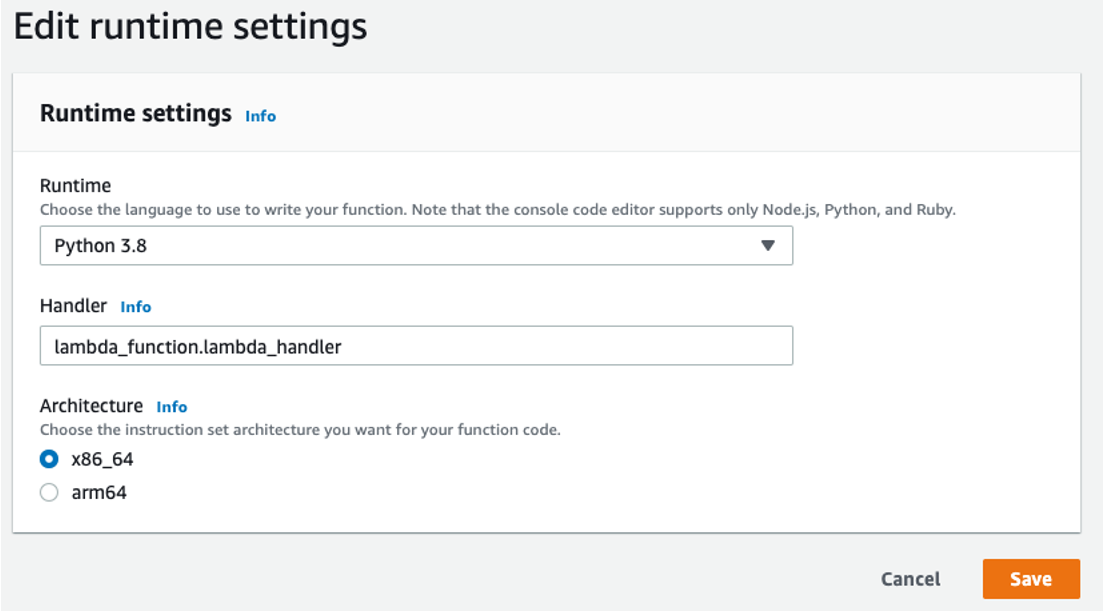
You can also use AWS CLI to change the architecture:
aws lambda create-function \
    --function-name MyArmFunction \
    --runtime nodejs18.x \
    --architectures arm64 \
    --memory-size 512 \
    --zip-file fileb://MyArmFunction.zip \
    --handler lambda.handler \
    --role arn:aws:iam::123456789012:role/service-role/MyArmFunction-role
Start by identifying workloads that will benefit most from these gains. Many runtimes already support Graviton2 today (eg. Node.js, Python, Java, .NET) and you can switch your functions with minimal to no changes. A common approach to comparing potential gains is to run your function side by side on both x86_64 and Graviton2 and to analyze cost/performance results using the Lambda Power Tuning tool.
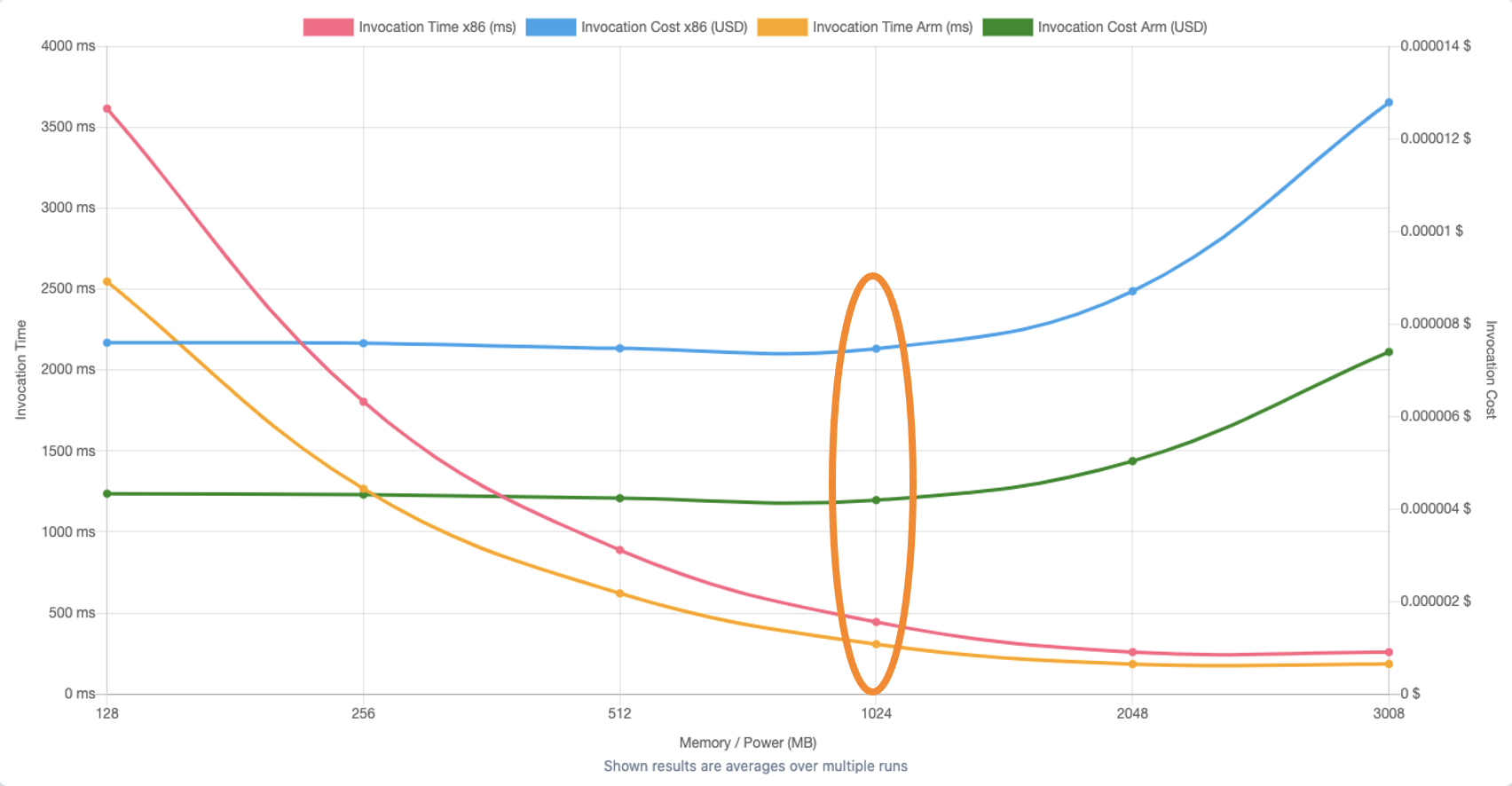
In the sample Lambda Power Tuning report above, the orange and green line show invocation time and invocation cost for a Graviton2 architecture in Lambda function at different memory configurations. You can see how cost and performance differs from the blue and red line representing the corresponding x86 based architecture.
We always recommend testing your converted functions before you deploy them into production.
You can learn more about migrating AWS Lambda functions to Arm based AWS Graviton2 processors.
Resources:
Created by: