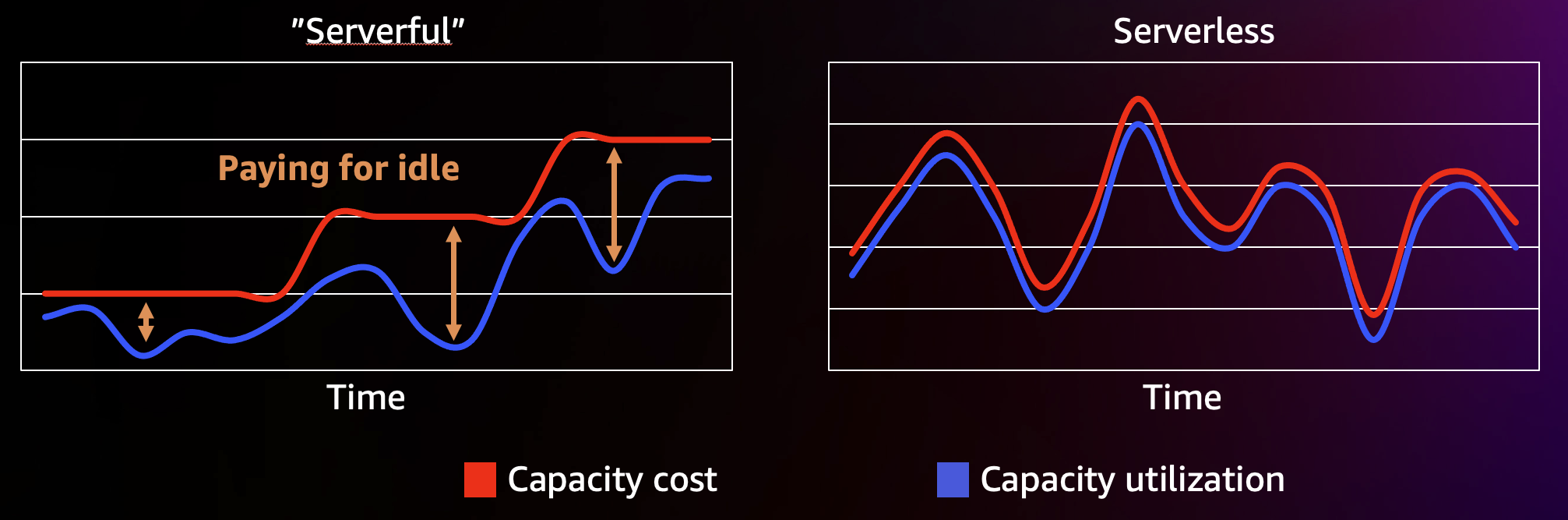
AWS Lambda is a serverless compute service that allows companies to focus on delivering business value without being concerned with undifferentiated heavy-lifting of infrastructure management. Lambda scales both up and down automatically based on the traffic patterns, and as such autonomously adjusts allocated capacity to match required capacity. It is a great fit for cost optimizations in scenarios when you don’t want to deal with infrastructure management, have a spiky traffic pattern, and know you’re over-provisioning for worst-case scenario. Having additional insights on how Lambda works can help you to optimize costs even further.
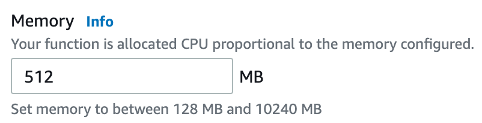
One of the core settings you can configure for Lambda function is memory allocation. This setting defines the amount of memory available to each execution environment of your Lambda function during invocation. There's no separate dial for setting the CPU capacity. Lambda service allocates CPU capacity proportionally to the amount of allocated memory. The more memory you allocate to your function, the more CPU it will get as well.
At about 256MB of allocated memory, your function is getting 1/8th of a virtual CPU. At 512MB you're getting 1/4th. And as you're getting closer to 2GB of allocated memory, your function will get the equivalent of one full vCPU. You can set the memory allocation value anywhere between 128 MB and 10240 MB. At max memory setting you'll get 6 vCPUs!
So, why wouldn't you always allocate the maximum volume of memory, and get the most vCPU as well? The answer is cost. While adding more memory can improve function performance, it can also increase your Lambda bill. So how do you deal with this? There are two Lambda billing metrics you should be aware of - allocated memory and execution time. You're paying for how long your code executes (in 1ms intervals), and how much memory is allocated. More memory costs more money. Faster functions (lower execution time) help to save on costs.
Let's use an example. Imagine you have a function with 512MB of memory allocated which runs for 3 seconds on average. You want to optimize your function for performance, and decided to try to give it double the memory allocation - 1024MB. This also allocated double the vCPU capacity to your function. You're testing the performance of your updated function, and you're seeing that the execution time has dropped to 1 second! As a result of this small configuration change you doubled the memory allocation, but cut execution time to 1/3 or the original. As a result, you're both saving money and getting more performant functions!
What we see in the field, is that in many cases Lambda functions benefit from these optimizations. It is important to balance memory allocation with execution time to get to the point of optimal cost/performance. We recommend you use Lambda Power Tuning tool, as it is one of the most efficient ways to tune your Lambda functions. It is a free, open-sourced tool that you can get from github.com. It is also documented in Lambda Operator's Guide. You can configure the tool with a set of different memory allocations you want to test and the number of test cycles. The tool will automatically invoke your function multiple times under different memory configuration, and build you a visual representation of the impact on performance and cost, like you can see here.
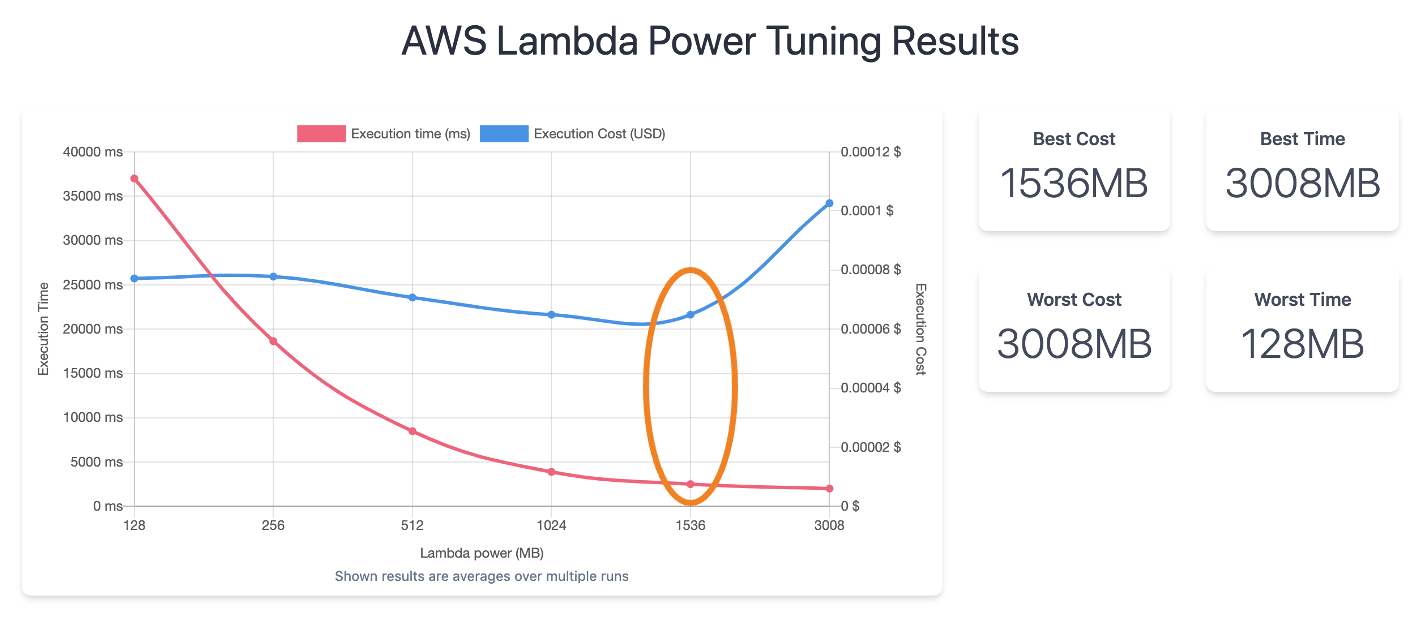
Let's explore the above chart. The red line is showing execution time. You can see right away that increasing the allocated memory has a significant impact on the execution time — it's getting lower. The blue line shows execution cost. You can see that there's a minor trend downwards for the most of the chart, but a major spike after 1.5GB.
Looking at the numbers on the right side you can see best and worst cost and performance configurations. For example, while allocating 128mb to the function sounds cheapest, in reality you can see that with 128mb the function will run for significantly longer, so 128mb is probably not the best option. The optimal configuration here is 1.5GB - you’re getting both good execution time and decent cost.
To conclude - using Lambda Power Tuning tool helps you to automate finding that optimal memory configuration sweet spot for either cost, performance, or balanced.
Useful links:
Created by: