Develop
You can design and configure APIs in the AWS Management Console. However, for production, use Infrastructure as Code (IaC) tools to build and deploy APIs. There are multiple IaC options such as AWS CloudFormation, AWS Serverless Application Model, AWS Cloud Development Kit, or HashiCorp Terraform. Instead of defining APIs using IaC syntax, it is simpler to embed OpenAPI specifications in the IaC template.
Tools used to develop APIs (some listed below) allow you to export OpenAPI specifications for APIs. You can import this in Amazon API Gateway either programmatically or using the AWS console. The same specification can be used in the IaC templates.
Following is a non-exhaustive list of the AWS Partner solutions to develop APIs:
- Postman (with API Gateway integration)
- SmartBear API Hub (with API gateway integration)
- Kong Insomnia
- Stoplight
Feature selection
While developing, you have to choose features for the API based on the use case. For example, API could be publicly accessible or restricted to specific clients only. API call could execute a AWS Lambda function, make a database query, or call an application. You may specify payload data models, configure request validation rules, define data transformation templates, choose response caching settings, configure throttling and metering, etc. For more details of the features of each API Gateway type, refer to the documentation:
- Developing a REST API in API Gateway
- Developing an HTTP API in API Gateway
- Developing a WebSocket API in API Gateway
Integration types
As part of creating the API resources and methods, you must choose an integration type. When you choose an integration type, that determines how API Gateway passes request data to the backend. A backend endpoint (also referred to as an integration endpoint) can be an AWS Lambda function, an HTTP webpage, or an AWS service action. In addition, mock integrations let API Gateway return a response without sending the request further to the backend.
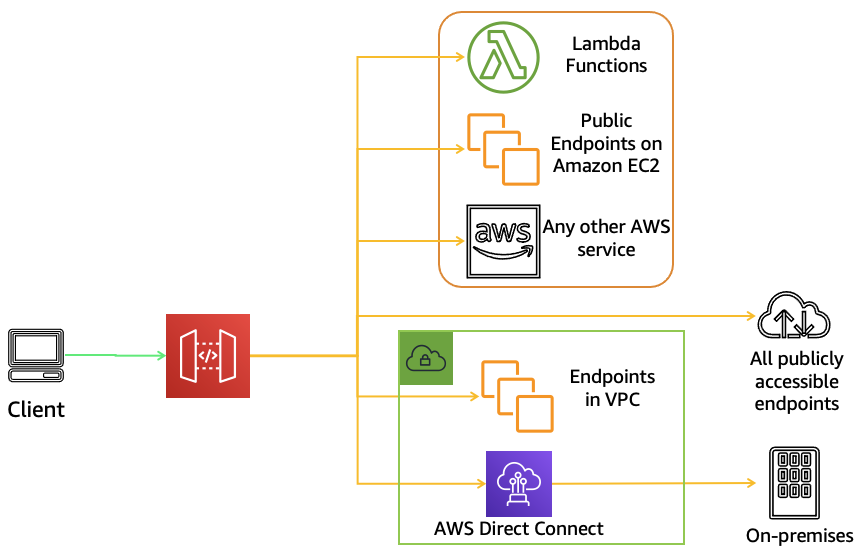
To access your private VPC resources, such as EC2 instances or containers, you can create an API with a private integration:
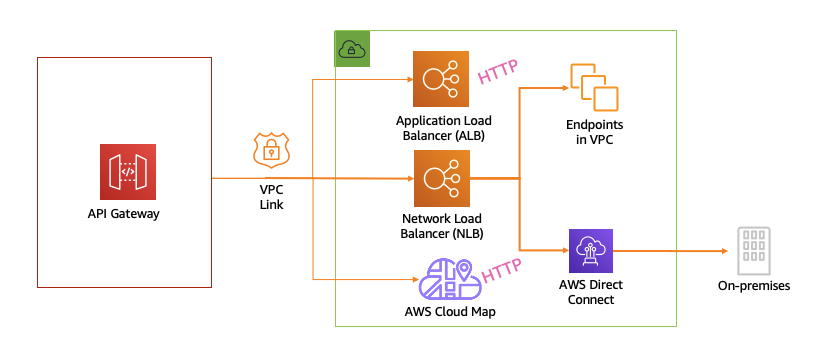
Note: See links to the sample API implementations using various backends and integrations in the sidebar.
Test
A quick way to test your REST APIs during development is using the test feature in the AWS Management Console:
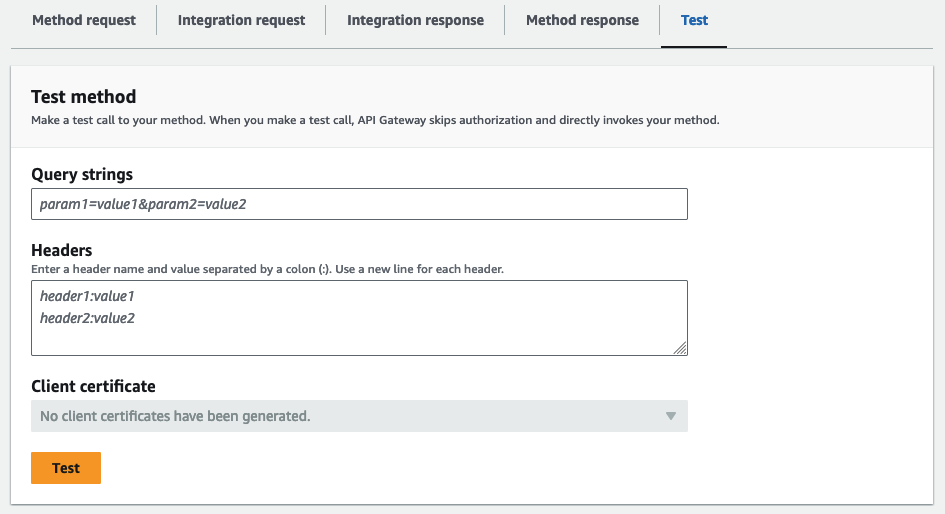
However, in production you need more comprehensive test coverage and automation. You can use testing frameworks you are already familiar with for integration and unit testing in the CI/CD pipelines.
Here are some of the AWS partners' offerings that include API testing features:
Note: Some of the partner solutions listed in the Secure lesson include API penetration/security testing
Created by: