Learning Goals
- How to efficiently write metrics with Lambda
Making the most of the cloud
CloudWatch Logs Insights gives you the ability to write SQL like queries to search and filter multiple log streams. To make the most of this functionality, think about how to include useful data into your log messages to make them easy to search for. You might want to see all the log messages for a single customer across multiple Lambda functions, or all the log messages for a group of transactions.
To do this easily, you can implement structured logging. Instead of writing a log message, which is then output as part of a text logging pattern, you can write out the log as a JSON object. This makes it easier to include metadata to your message as attribute, value pairs.
Lambda Powertools for Java
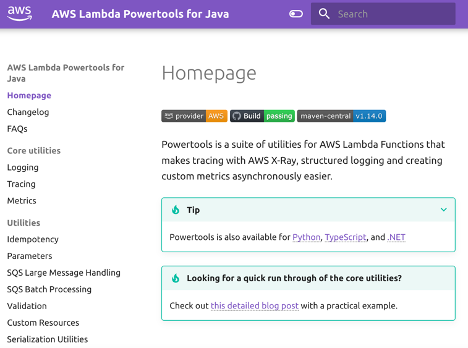
Lambda Powertools for Java is a developer toolkit to implement Serverless best practices and increase developer velocity. Powertools includes support for structured logging with Log4J.
Metrics
A common pattern to distribute application metrics is to expose a metrics endpoint as part of the application. Your monitoring solution then polls each instance of the application and consumes the metrics. Lambda function instances are not directly addressable. All requests made to a Lambda function are automatically load balanced to instances available.
The Lambda service automatically produces function level metrics such as number of invokes, duration of execution, number of errors and more. You can find more information about the metrics produced by the service under Working with Lambda function metrics of the Developer Guide.
To measure system level metrics such as CPU time, memory, disk, and network you can enable CloudWatch Lambda Insights.
Application Metrics with CloudWatch
You can create your own custom application metrics into CloudWatch. You can do this to record more fine-grained behavior, which isn't covered by the service or system level metrics. The best practice way to do this is with CloudWatch Embedded Metrics Format (CloudWatch EMF). This allows you to push metrics from each invoke of your Lambda function asynchronously. To do this you log a JSON object following the EMF specification to standard out.
To make this easier, there are two client libraries that support the creation of metrics in the EMF format:
Low Level Client Library aws-embedded-metrics-java
Lambda Powertools for Java Metrics https://awslabs.github.io/aws-lambda-powertools-java/core/metrics/
Avoid using CloudWatch APIs to record metrics synchronously. This will increase the duration of your Lambda function.
Application Metrics with Partners
Many AWS Partners provide extensions to integrate with your Lambda functions.
Created by: