The AWS Cloud Development Kit (AWS CDK) is an open-source software development framework to model and provision your cloud application resources using Java, TypeScript, JavaScript, C#, Python, and Go.
AWS CDK apps are composed of building blocks known as Constructs, which are composed together to form stacks and apps.
There are three main components of the CDK:
- Core framework
- AWS Construct Library
- AWS CDK ToolKit
Core Framework
With the core framework, you can create and structure App that consists of one or multiple stacks. Stacks are logical units of infrastructure which contains multiple resources and mapped 1:1 to CloudFormation Stacks.

AWS Construct Library
CDK constructs are the basic building blocks AWS CDK apps. A construct may represent a single AWS service or can be a higher level abstraction. Examples of such constructs include an ECS service with ALB and VPC or 3rd parties from the community or your own libraries. The AWS construct library is a set of components crafted by AWS to create resources for specific services. This helps to decouple libraries and use only the dependencies you need in your project. For example, the s3.Bucket class represents an Amazon S3 bucket, and the dynamodb.Table class represents an Amazon DynamoDB table.

AWS CDK Toolkit
The AWS CDK Toolkit, the CLI command cdk is the primary tool for interacting with the AWS CDK.
It initializes project
structure, inspects differences between deployments, produces and deploys the AWS CloudFormation templates generated by
the AWS CDK.
The AWS CDK Toolkit is installed with the Node Package Manager
npm install -g aws-cdk             # install latest version
npm install -g aws-cdk@X.YY.Z      # install specific version

Here’s a sample code that creates a CRUD application using Amazon API Gateway, AWS Lambda, and Amazon RDS:
public class Main {
  public static void main(String[] args) {
    App app = new App();

    Environment environment = Environment.builder()
      .account(System.getenv("CDK_DEFAULT_ACCOUNT"))
      .region(System.getenv("CDK_DEFAULT_REGION"))
      .build();

    DatabaseStack dbStack = new DatabaseStack(app, "DemoDatabaseStack", StackProps.builder()
      .env(environment)
      .build());

    new AppStack(app, "DemoAppStack", AppStackProps.builder()
      .env(environment)
      .rdsProxyEndpoint(dbStack.getRdsProxyEndpoint())
      .rdsSecretArn(dbStack.getRdsSecretArn())
      .lambdaSG(dbStack.getLambdaSecurityGroup())
      .vpc(dbStack.getVpc())
      .build());

    app.synth();
  }
}
Working with AWS CDK in Java
The AWS Cloud Development Kit (AWS CDK) lets you define your AWS cloud infrastructure in a general-purpose programming language. Currently, the AWS CDK supports TypeScript, JavaScript, Python, Java, C#, and Go. All AWS CDK applications require Node.js 10.13 or later, even when working with Java.
The AWS CDK supports Java 8 or later. We recommend using Amazon Corretto (a downstream distribution of OpenJDK), but you can use any OpenJDK distribution or Oracle's JDK
Creating a Project
You create a new AWS CDK project by invoking cdk init in an empty directory:
mkdir my-project
cd my-project
cdk init app --language java
cdk init uses the name of the project folder to name various elements of the project, including classes, folders, and
files.
The resulting project consists of App, constructs and includes reference to software.amazon.awscdk Maven package.
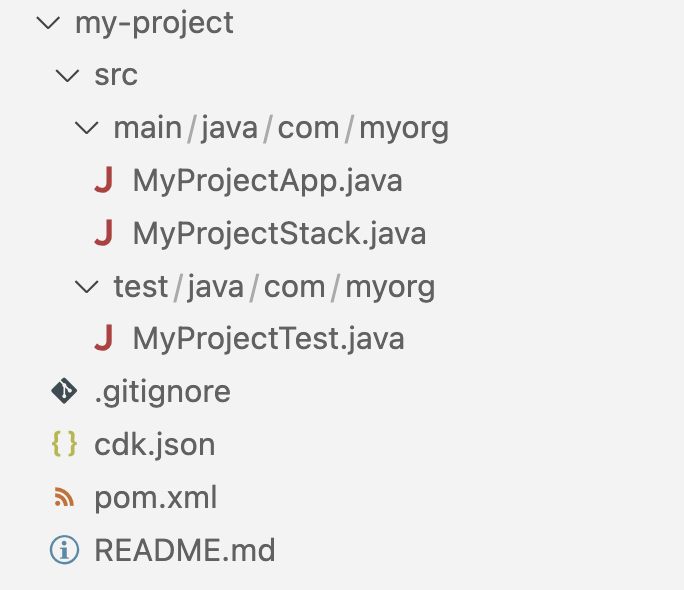
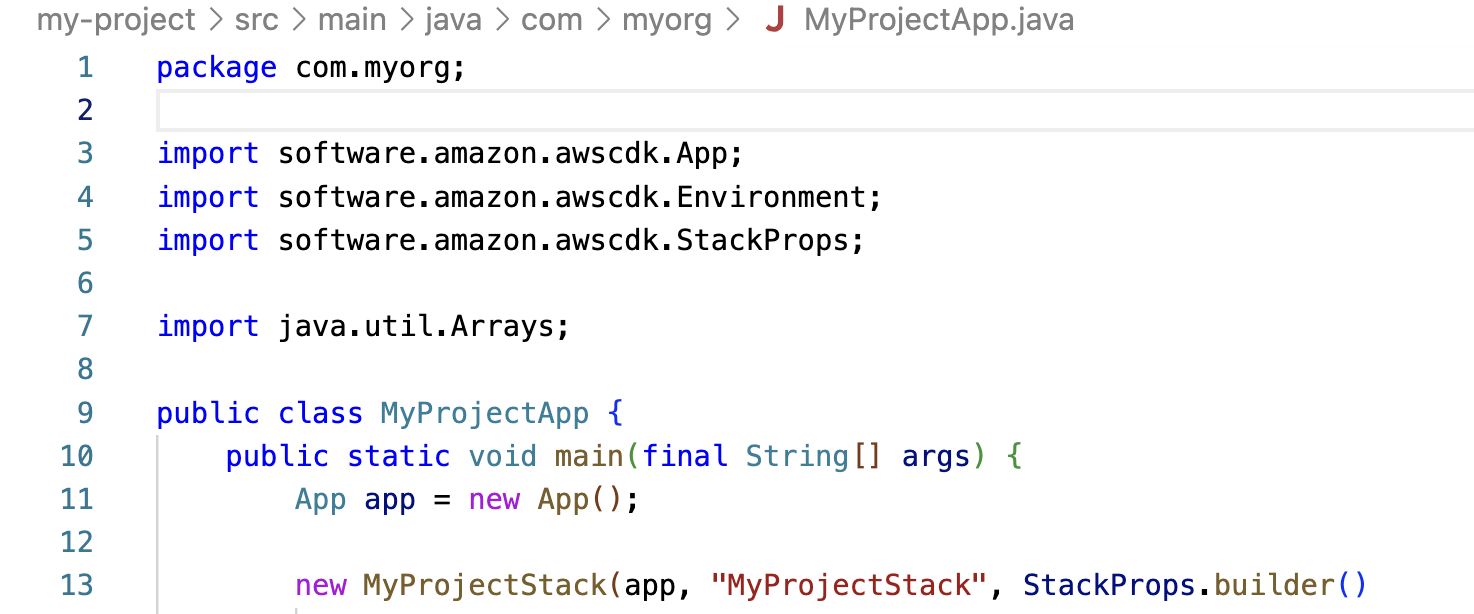
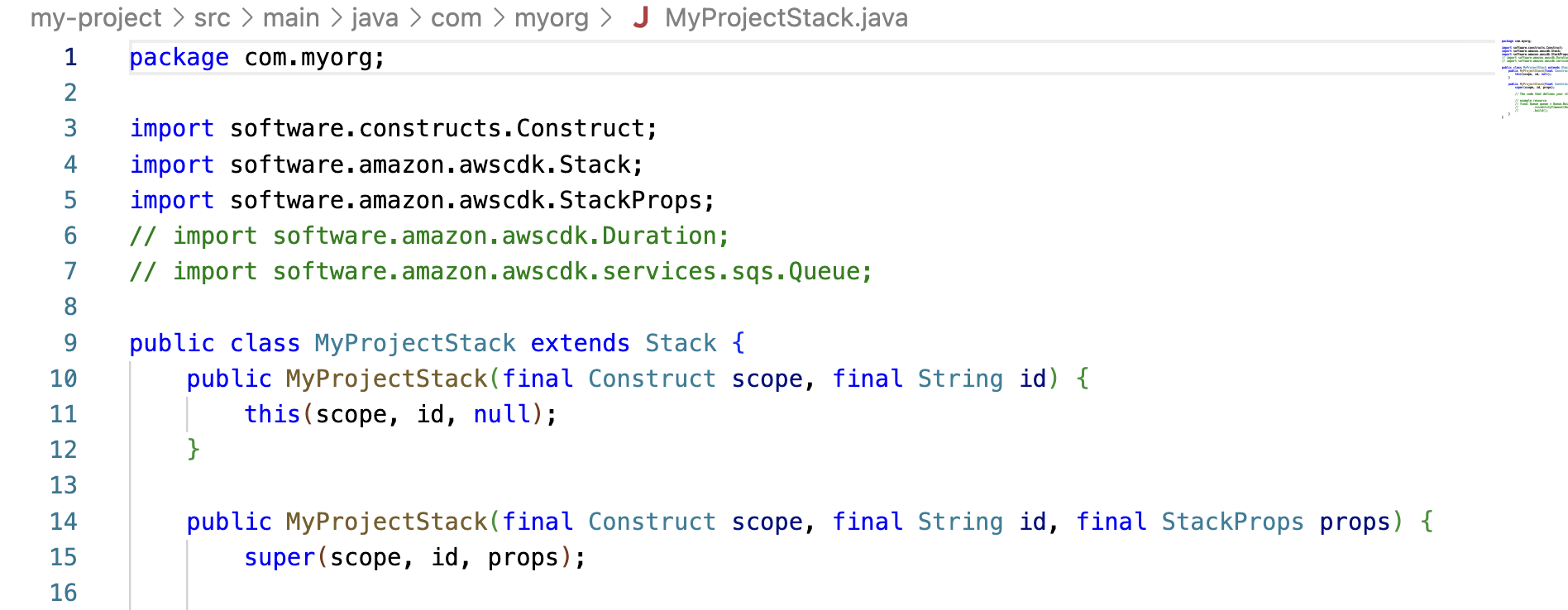
src/main/java/com/myorg/MyProjectApp.java— Main entry point for the applicationsrc/main/java/com/myorg/MyProjectStack.java— Defines the My Project stackpom.xml- If your application depends on an experimental package, edit your project'spom.xmland add a new<dependency>under<dependencies>.
The main AWS CDK package is imported in Java code as software.amazon.awscdk:
Modules for the various services in the AWS Construct Library live under software.amazon.awscdk.services and are
named similarly to their Maven package name.
For example, the Amazon SQS library's namespace is software.amazon.awscdk.services.sqs.
CDK for Terraform
Built on top of the open source JSII library, CDK for Terraform allows you to write Terraform configurations in your choice of Java, C#, Python, TypeScript or Go and still benefit from the full ecosystem of Terraform providers and modules. You can import any existing provider or module from the Terraform Registry into your application, and CDKTF will generate resource classes for you to interact with in your target programming language.
With CDKTF, developers can set up their infrastructure as code without context switching from their familiar programming language, using the same tooling and syntax to provision infrastructure resources as they are using to define the application business logic. Teams can collaborate in familiar syntax, while still leveraging the power of the Terraform ecosystem and deploying their infrastructure configurations via established Terraform deployment pipelines.
CLI commands
cdktf-cli– A CLI that allows users to run commands to initialize, import, and synthesize CDK for Terraform applicationscdktf– A library for defining Terraform resources using programming constructs
Refer Working with the AWS CDK in Java for additional details.
AWS CDK with AWS SAM CLI
One of the many benefits of using AWS SAM CLI is its ability to facilitate local development and testing. To locally test an AWS CDK application using the AWS SAM CLI, you must have an AWS CDK application that contains a Lambda function.
Refer to the user guide on AWS SAM CLI support for AWS CDK.
Created by: